
⚙️ How to Combine Whisber with Your Exchange or Trading Tools
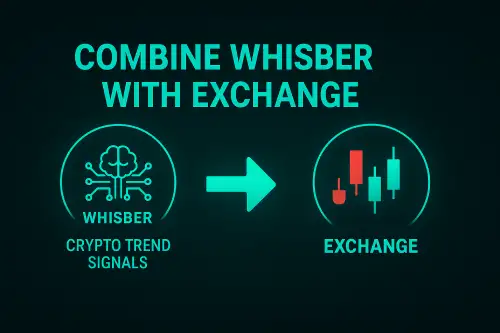
Whisber isn’t an exchange — it’s your AI trading compass.
It doesn’t replace your trading tools — it amplifies them by giving you clear data-driven direction before you take action.
Here’s how to use Whisber together with your favorite exchanges or trading apps for the best results 👇
🧭 1️⃣ Understand the Role of Whisber
วิสเบอร์คือของคุณ signal and analysis layer — not your trading execution layer.
Think of it like a pilot’s radar 🛫 — it shows you where to fly, but you still control the throttle.
It gives you:
- ✅ ซื้อ / ถือ / ขาย signals (updated daily)
- ✅ Short-Term and Long-Term Trends
- ✅ ระยะเวลาของเทรนด์ (how long each signal lasts)
- ✅ AI alerts ทาง โทรเลข or Email
Your exchange (like Binance, Bybit, OKX, etc.) handles:
- 💰 Actual buying/selling
- 📈 Chart execution
- 🔒 Fund management
Combine both = clarity + control.
💻 2️⃣ Use Whisber as Your Pre-Trade Checklist
Before placing any trade on your exchange:
✅ Step 1: Open your Dashboard
✅ Step 2: Check both ระยะสั้น และ Long-Term Trends
✅ Step 3: Confirm Suggested Action (🟢 Buy / 🟡 Hold / 🔴 Sell)
✅ Step 4: Review ระยะเวลาของเทรนด์ to ensure momentum is fresh
✅ Step 5: Only trade if signals are aligned
📌 Example:
- Long-Term 🟢 + Short-Term 🟢 → Safe to enter or hold
- Long-Term 🟡 + Short-Term 🔴 → Stay cautious
- Long-Term 🔴 + Short-Term 🟢 → Temporary rebound, avoid chasing
📱 3️⃣ Pair Whisber with Your Exchange App
Here’s how most users combine them daily:
| งาน | เครื่องมือ | Tip |
|---|---|---|
| Check AI Trend | Dashboard | Do this before you open charts |
| Place Trades | Exchange (e.g., Binance) | Follow Buy/Hold/Sell guide |
| Monitor Alerts | Telegram Bot | React calmly, not instantly |
| Review Portfolio | Exchange / Tracker App | Adjust based on trend changes |
💡 You don’t need to keep dashboard open all day — just check signals before acting.
🔔 4️⃣ Automate Your Reactions with Alerts
Telegram bot keeps you updated in real time.
When the market changes:
- 🟢 Buy Alert → Prepare to enter or add
- 🟡 Hold Alert → Stay patient
- 🔴 Sell Alert → Secure profits or cut exposure
You can then switch to your exchange app immediately to take action.
💬 Example:
“BTC Long-Term flipped 🔴 — protect capital.”
→ User closes position on Binance or Bybit within minutes.
That’s how you let AI act first, and emotion act last.
🧠 5️⃣ Combine with Technical Tools
If you already use charting tools like TradingView, Whisber becomes your confirmation filter:
- When 🟢 matches your setup → higher confidence trade
- When 🔴 disagrees → skip trade (save capital)
📌 You can mark Whisber signals as zones on your chart to compare how AI aligns with your personal analysis.
💼 6️⃣ Example: Daily Routine
| Time | งาน | การกระทำ |
|---|---|---|
| 🕗 Morning | Open Whisber | Check Short + Long Trend |
| 🕘 Before Trading | Confirm AI alignment | Enter if both 🟢 |
| 🕓 Midday | Watch Telegram | React to alerts only |
| 🌙 End of Day | Review trend changes | Prepare for next session |
A few minutes of structure keeps your trading consistent and calm.
💚 บทสรุปสุดท้าย
Whisber doesn’t replace your exchange — it empowers it.
It’s your second brain for data clarity, timing, and discipline.
- ใช้ Whisber for direction
- ใช้ Exchange for execution
- ใช้ Telegram for reaction
When all three work together, you’re no longer guessing — you’re trading with precision. ⚡